


DMV Practice Test: Permit 2026
4.7379.00 Reviews
App Specs
- Version
- 1.1.8
- Updated On
- License
- Free
- Downloads
- 100,000+
- Developer
- BrainSoft Apps
- Categories
- Auto & Vehicles
- Platform
- Android
Screenshots
 Analysis by AppCompare
When I first opened a driving-test study app, I wanted one simple thing: a useful way to turn spare moments into preparation without making the whole process feel like another chore. DMV Practice Test & Routes aims to bring written-test practice and practical-route preparation together, which makes it appealing during the first week, when motivation is usually easiest to find. My lasting impression depends less on that initial convenience than on whether its tools help me build a steady routine and know when it is time to return to the official rules or a qualified instructor.
Why the first week feels useful
The app’s central draw is that it gives a learner more than one way to approach test preparation. I can work through questions when I have a short break, use explanations to understand mistakes, and keep difficult items in view with the bookmark option. When I have longer to study, a full practice exam gives the session a clearer shape. That variety is practical: it lets me match the task to the time and attention I actually have instead of waiting for a perfect, uninterrupted study hour.
For a new learner, a realistic first-week routine might be a short quiz after dinner, followed by a look at the explanations for anything missed. On another day, I could revisit bookmarked questions before attempting a longer test. That sequence is more useful than simply repeating quizzes for a score, because it turns wrong answers into a list of topics to understand. I would avoid treating one strong result as proof that I am ready; a better sign is being able to explain why an answer is correct, including when a question is phrased differently.
Its combination of written preparation and route guidance is also a helpful distinction from a basic flashcard tool. Flashcards can be excellent for quick recall, but they do not necessarily help a learner picture a practical test drive. Here, route guidance gives me another kind of preparation to think about. I would use it to notice situations that deserve attention, not as a promise that an examiner will follow an identical path.
Turning practice into a monthly habit
The app is most likely to earn a place on my phone if I use it as a small, repeatable part of learning rather than an all-in-one substitute for driver education. Progress tracking can help me notice whether my practice is becoming more consistent, while bookmarks give me a way to return to recurring problem areas. A useful habit is to spend one session answering questions and another reviewing the underlying rule. That separation makes it harder to confuse remembering an answer with understanding the road principle behind it.
I would also change the focus of practice as the test approaches. Early on, I would use the study guide and explanations to build a broad foundation. Later, I would pay closer attention to questions I keep missing and use full practice exams to check whether I can sustain concentration. If I am already driving with a learner’s permit, I would connect the app’s route material to supervised practice: after noticing a type of junction in the app, I could ask my supervising driver to discuss how to approach similar situations safely. That is a more grounded use than trying to rehearse a route alone.
This is where recurring value has a limit. Practice questions can keep test material in regular rotation, but an app cannot replace time behind the wheel, feedback from a responsible instructor, or the current handbook for the state where I plan to take the test. Rules and procedures are local, so I would confirm important details with the relevant official source instead of assuming that an app is the final authority. Used alongside those sources, it can help keep study organized; used instead of them, it risks giving a learner confidence without enough context.
Worth Reading Before You Choose

Flipboard Shows What News Apps Must Do Beyond the Feed

Switching to Android Auto Means Rethinking Your Driving Routine

Google Calendar Makes a Crowded Week Easier to Manage

Ludo King Makes the Most of the Minutes Between Plans

Baby Panda World Brings Quick Play to Modern Phones, but Its Game Library Feels Busy

ESPN’s Live Game View Makes Following Close Games Easier
Keeping the workload manageable
Maintenance here is mainly about maintaining a sensible study routine. I would not try to complete long sessions every day simply because the app makes practice available. A short, focused session is easier to repeat, and reviewing only the questions that caused trouble can make a spare few minutes count. The bookmark tool is particularly useful for that purpose: rather than restarting a large quiz to find a difficult topic, I can create a personal review queue and work through it when I have attention to spare.
There is a trade-off, though. Bookmarks are only helpful if I revisit them. If I save every confusing question and never return, the feature becomes a pile rather than a study aid. I would periodically clear out items I now understand and keep the ones that reveal a genuine gap. Similarly, progress tracking is best treated as a prompt to reflect, not as a substitute for judging whether I understand a rule or can apply it in traffic.
For someone balancing school, work, or family responsibilities, this flexible approach can be a real advantage. A learner waiting for a ride could review a handful of saved questions, while a weekend session could be reserved for a full exam and a careful review afterward. I would keep phone-based study to moments when I can give it attention, rather than trying to answer questions while driving or doing anything that requires focus elsewhere. The practical-route material belongs in safe planning and supervised learning, not in a distraction behind the wheel.
Where fatigue and frustration can creep in
Repeated quizzes can become tiring if I focus only on getting through questions. Randomized sets may help keep practice from feeling identical, but variation alone does not make every session insightful. If I notice myself tapping through answers without reading the explanations, I would stop and switch to a smaller review task. The app works better as a tool for deliberate study than as background entertainment, and learners who dislike testing themselves may prefer starting with a handbook or instructor-led lesson before using quizzes to check their understanding.
Route guidance needs a similar dose of perspective. It can help me think about the kinds of places and decisions that may matter in a practical test, but a mapped route should not become a script to memorize. Road conditions, examiner choices, and local test arrangements can differ. I would use the routes to identify questions to ask a supervising driver—such as where to look for hazards or how to prepare for an unfamiliar junction—rather than expecting an app to teach every maneuver or guarantee what will happen on test day.
There is also a practical question about state relevance. Selecting a state is important because driving rules vary, so I would check that selection before spending time studying and revisit it if I move or prepare for a test elsewhere. For details that affect an actual application or appointment, I would still consult the local motor-vehicle authority. That extra check is not a flaw unique to this app; it is a sensible boundary for any third-party study resource.
A closer look at DMV Practice Test & Routes
Kicking off my journey with the app was a breeze. After downloading the DMV Practice Test & Routes app, I was greeted with a clean and straightforward interface. No fuss, no muss—exactly what you need when you're already stressing about that upcoming test. The app is available on both Android and iOS, so no one's left out in the cold.
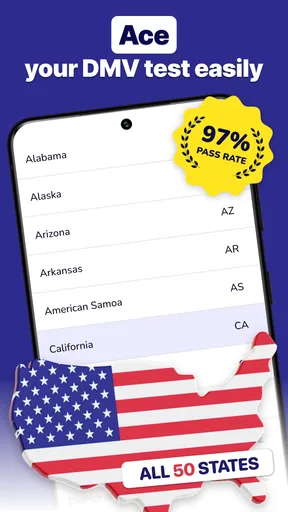
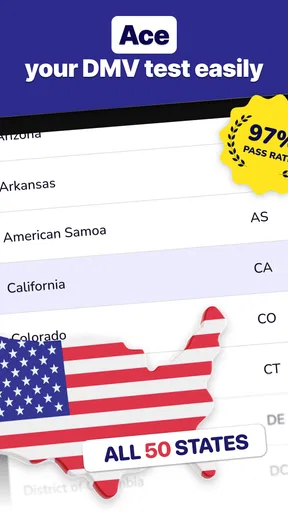
The setup process is as simple as pie. Once you've installed the app, you can select your state, ensuring all the content is relevant to your specific DMV requirements. This is crucial since each state has its own set of rules and regulations, and the last thing you want is to be studying the wrong material.
Features that Stand Out
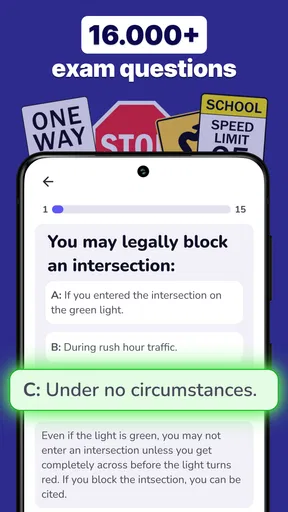
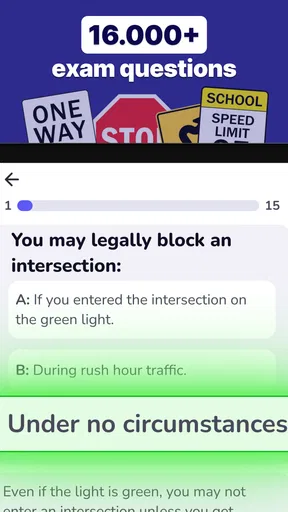
One of the standout features of the app is its comprehensive practice test section. It's loaded with a myriad of questions that mimic the ones you'll encounter on the real test. You can take full-length practice exams or opt for shorter quizzes if you're pressed for time. The questions are randomly generated, which means you won't get the same set twice, keeping you on your toes.
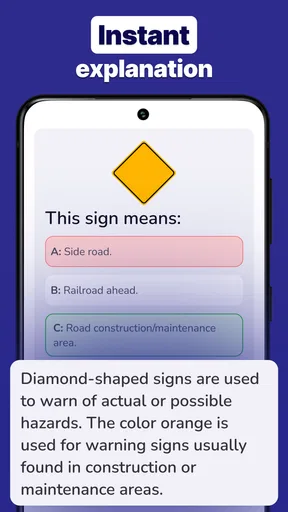
I found the explanations provided after each question to be incredibly helpful. They break down the reasoning behind each correct answer, which is perfect for reinforcing your knowledge and correcting any misconceptions.
Another nifty feature is the bookmark option. If you stumble across a tricky question or topic, you can save it for later review. This makes revisiting and mastering problematic areas a whole lot easier.
On the Road with Route Guidance
But wait, there's more! The app isn’t just about acing the written test. It also offers valuable route guidance for the practical driving test. It maps out common test routes, giving you a feel for what to expect on the big day. Talk about a confidence booster!
I took this feature for a test drive, and it was like having a virtual instructor by my side. The routes are detailed and include potential hazards you might encounter, such as tricky intersections or busy roundabouts. It's like having a sneak peek at the exam before you actually take it.
Learning at Your Own Pace
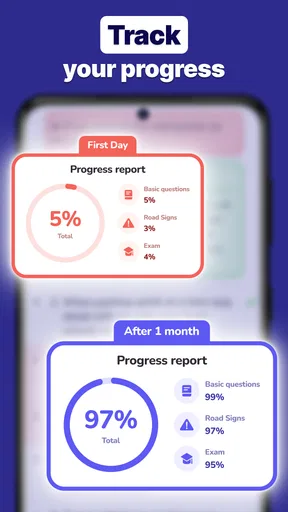
One of the things I loved about this app is the flexibility it offers. You can practice wherever and whenever it suits you. Whether you have a few minutes during your lunch break or hours to kill over the weekend, the app adapts to your schedule. Plus, it tracks your progress, so you can easily see how you're improving over time.
For those who might need a bit more guidance, the app also includes a study guide section. It covers all the essentials, from road signs to traffic laws, in an easy-to-digest format. It's like having a DMV handbook right in your pocket.
Who will get the most from it
I see this as a good fit for a first-time learner who wants written-test practice in manageable pieces and a way to think ahead about the practical exam. It can also suit someone returning to driving who wants a structured refresher, especially if they already know which state’s rules they need to review. A parent or supervising driver could use the route material as a conversation starter before a supervised drive, while the learner handles questions and explanations independently.
I would steer away from relying on it alone if you need hands-on instruction, have a specific accessibility need that depends on an unverified feature, or want an authoritative answer about a current legal requirement. In those cases, the official handbook, a driving instructor, or the local licensing office is the better first stop. The app’s value is practice and organization, not replacing those sources.
Cost, compatibility, and staying current
DMV Practice Test & Routes is a free app from BrainSoft Apps, with in-app purchases listed from $2.49 to $34.99 per item. I would begin with the free experience and decide whether any paid option is worth considering only after checking what it offers in the app. That keeps the decision tied to my own study needs rather than assuming that spending more will automatically improve preparation.
It is rated for Everyone and has an average rating of 4.8 from around 4,500 ratings, with over 100,000 installs. Those figures suggest it has attracted a substantial audience, but I would still judge it by whether its explanations and state selection work for my own preparation. It was released on November 8, 2024, and version 1.1.5 is listed for devices running Android 7.0 or later. Those details are useful when checking whether an older Android phone can install it; they do not change the need to verify important rules with an official source.
Compared with using only a handbook, the app makes it easier to turn study into quick question-and-review sessions, while a handbook remains better for reading a topic in full and checking official wording. Compared with generic quiz apps, its appeal is the pairing of written preparation with route guidance. Neither comparison makes it a complete driving course: I would still combine it with official material and supervised practice, particularly for skills that cannot be learned by answering questions.
Wrapping It Up
Overall, the DMV Practice Test & Routes app is a fantastic tool for anyone preparing for their driving test. It’s packed with features that make learning both effective and enjoyable. Whether you’re a first-time driver or just need a refresher, this app has got you covered.
So, if you're feeling a bit anxious about getting behind the wheel or tackling that written exam, give this app a shot. With a little practice and perseverance, you'll be cruising down the highway with that shiny new license in no time. Happy driving!
My long-term verdict
For me, the app earns lasting space when I treat it as a practical study companion, not a shortcut to a license. Its short quizzes, explanations, saved questions, study guide, progress tracking, and route material offer several ways to return to preparation without repeating exactly the same kind of session. The habit that matters is using those tools to identify what I do not understand, then checking and practicing it properly.
If I were preparing now, I would start with the state selection, use short quizzes to find weak areas, and keep a small bookmark list for topics worth revisiting. I would use longer tests to check readiness, and discuss route situations with a qualified supervising driver rather than trying to memorize a path. That approach makes the app’s recurring value clear while keeping its limits in view. It is a useful addition to a learner’s routine, but the road skills and official guidance still have to come from beyond the screen.
Pros
- Comprehensive question database
- User-friendly interface
- Tracks progress effectively
- Includes real-time route simulations
- Available offline
Cons
- Ads can be intrusive
- Limited customization options
- Some questions feel repetitive
- Requires in-app purchases for full access
- Occasional bugs in route feature
FAQs for DMV Practice Test: Permit 2026
What is the purpose of the DMV Practice Test & Routes app?
The DMV Practice Test & Routes app is designed to help users prepare for their driving exams by offering practice tests that mimic the official DMV tests. It also provides detailed driving routes to familiarize users with the road conditions and scenarios they might encounter during their actual driving test. This can significantly boost confidence and readiness.
Is the DMV Practice Test & Routes app available for both Android and iOS?
Yes, the DMV Practice Test & Routes app is available for download on both Android and iOS platforms. You can find it on the Google Play Store for Android devices and the Apple App Store for iOS devices, ensuring accessibility for a wide range of users who are preparing for their driving exams.
Does the app offer tests for all states in the US?
The app covers a comprehensive range of practice tests tailored to the specific requirements of each state in the US. This ensures that users can prepare for their DMV exams with tests that are relevant to their state’s specific rules and regulations, enhancing their chances of passing the exam on the first attempt.
Can I track my progress and review past test results?
Yes, the DMV Practice Test & Routes app includes features that allow users to track their progress over time. You can review past test results to identify areas where you need improvement, set goals, and monitor your readiness level. This personalized feedback is crucial for effective study and preparation.
Are there any costs associated with using the app?
The app offers a free version with basic features, but there may be in-app purchases or subscription options available for users who want access to premium content or additional features, like advanced test simulations or exclusive driving routes. It's advisable to check the app’s details for specific pricing information.


